Actions Report
Actions Report
The Actions Report, located under Summary Schedules, tracks system activity such as when files are locked, unlocked, or when options are changed. Each entry includes the related jurisdiction and return, the user who performed the action, and the corresponding date and time stamp.
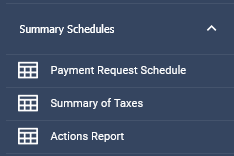

The Actions Report records the following activities:
- Activated or deactivated forms
• Attachments added or deleted (records source jurisdiction as well as the destination)
• Notes added or deleted
• Changes to Company Options
• Changes to Schedule values
• User inputs entered
• Imported State Business Page or Schedule T
• Locking or unlocking forms
• Overrides applied to forms
Tip: Filters can be used on this report to narrow the results and view specific actions. See Sorting and Filtering Reports for additional information.
Related Articles
Was this helpful?